


Ring - Always Home
4.684.37K Reviews
App Specs
- Version
- 3.107.1
- Updated On
- License
- Free
- Downloads
- 10,000,000+
- Developer
- Ring.com
- Categories
- Lifestyle
- Platform
- Android, iOS
Screenshots
 Analysis by AppCompare
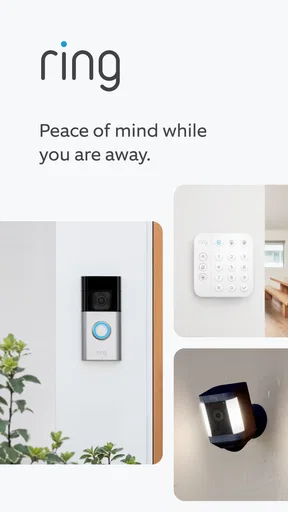
I think Ring - Always Home makes the most sense when you already have compatible Ring devices and want to check what is happening at home without being there. It puts camera viewing and alerts in one place, which can be reassuring during an ordinary workday as well as when I’m away for longer. It is a free lifestyle app from Ring.com, and its appeal is practical rather than flashy: it helps connect a home device to a quick decision about whether a visitor, delivery, or movement needs attention.
That convenience comes with a clear boundary. The app is not a home-security system by itself; its usefulness depends on the Ring equipment you use and on having a suitable connection when you want to view activity. If you are choosing between this and a standalone camera app, I would start by asking whether you already own Ring devices or plan to build around them. For someone who wants one simple camera with no interest in a broader Ring setup, a device-specific alternative may be easier.
Quick checks are the real speed test
In everyday use, the important question is not whether an app feels fast in isolation, but whether I can get to the relevant camera or alert before the moment has passed. Ring is designed around that check-in rhythm: a notification draws attention to activity, and I can open the app to see what is going on. A live view is useful when I need an immediate look; recorded footage is more useful when I missed the alert or want to understand what happened a little earlier.
Those are different jobs, so I would not treat them as interchangeable. Live video can help me decide whether to answer the door, while a recording can help me review a delivery after I get home. If I’m on a weak connection, away from the phone, or unable to open a notification right away, the convenience naturally drops. I’d use alerts as a prompt to check, not as a promise that every event will be reviewed instantly.
Busy days call for careful settings
The app becomes more useful when the home is active: visitors arrive, deliveries come and go, or movement near a camera is common. Customizable motion zones can help narrow the area that generates alerts, so I would take a moment to set them around the parts of the view I actually care about. A camera facing a busy pavement, for example, may produce less useful activity than one aimed at a porch or entrance. Adjusting the zone is a practical way to make notifications feel more relevant instead of simply turning them all off.
There is a trade-off here. Narrowing a zone can reduce distractions, but a setting that is too restrictive may also leave activity outside the selected area less noticeable. I’d make small adjustments, then see whether the alerts match the events I want to catch. When several people in a household use the system, it is also worth agreeing on what counts as a useful alert; otherwise, one person may find the phone helpful while another finds it noisy.
Reliability depends on the whole setup
I see Ring as a convenient way to check compatible equipment, not a substitute for a complete security plan. Notifications and video are only helpful when the relevant device is installed in a useful position and the connection is working well enough for a check-in. A camera aimed at the wrong part of a doorway cannot make up for its placement through the app, and a phone notification is not the same thing as someone actively watching the feed.
Worth Reading Before You Choose

Baby Panda World Brings Quick Play to Modern Phones, but Its Game Library Feels Busy

ESPN’s Live Game View Makes Following Close Games Easier

QuizzLand Review: A Good Fit for Short Trivia Breaks, Not Every Player

Basketball Stars: Multiplayer Is Fast, but Can It Recover When Matches Go Wrong?

WEBTOON Turns Phone Updates Into a Better Reading Routine

Link to Windows Runs on Shared Habits, Not Social Feeds
For that reason, I would test the routine before relying on it during a trip: trigger a normal visit, check that the alert is understandable, open the live view, and find the recorded clip afterward. This simple rehearsal can show whether the camera angle, alert settings, and household habits work together. It also helps set realistic expectations about how quickly I can respond when I’m away from home.
Who will get the most from it?
This is a good fit for people who already use Ring devices, want remote access to their home cameras, and are comfortable responding to notifications themselves. It can also suit households that want to coordinate quick checks around deliveries or visitors. I would be less keen to recommend it to someone who wants a security service that makes decisions and responds on their behalf, or to someone who does not want to maintain connected devices and notification settings.
Compared with checking a camera through a manufacturer’s separate app, Ring’s main advantage is having compatible Ring devices and their activity together in its own system. Compared with a basic doorbell chime or a conventional door viewer, it gives me a way to check from elsewhere, but it also depends more on a phone and connectivity. If all I need is to hear that someone is at the door while I’m inside, a simple chime may be less fuss.
For a realistic example, imagine I’m in a meeting when a delivery arrives. I can glance at the alert when there is a suitable pause, open the live view if the visitor is still there, and review the footage later if I missed the moment. I would not interrupt an important conversation for every motion alert; tuning the zones and deciding which notifications deserve an immediate response makes this workflow more manageable. The value is in having the option to check, not in being constantly glued to the phone.
Device limits and practical trade-offs
Because the app centers on connected cameras and live video, the phone experience is only one part of the setup. A small screen is handy for a quick look, but it is not ideal for carefully examining a scene or reviewing several moments in detail. I’d use the mobile app for routine checks and choose a larger screen or another suitable method when I need a more comfortable, deliberate review, if available in my setup.
On the app side, Ring has an average rating of 4.6 from around 464,000 ratings, with over 10 million installs. It is rated for everyone, and the current version is 3.93.1, with Android 9 as the minimum operating-system requirement. Those details make it easy to understand why it has broad reach, but they do not guarantee identical performance on every phone: device age, network quality, and the camera setup all shape the experience. I would keep the app updated and make sure the phone itself is not restricting notifications if timely alerts matter to me.
Your Home’s Best Friend
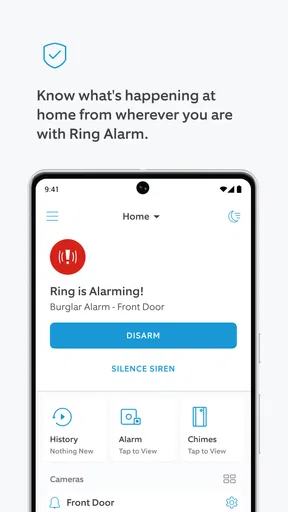
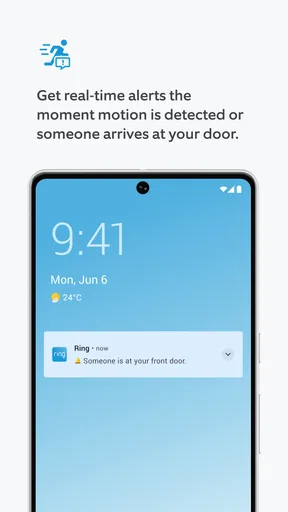
Imagine getting alerts the moment someone steps onto your property. That’s the magic of the Ring - Always Home app. It gives me real-time notifications that keep me in the loop no matter where I am. Whether I’m at work or just lounging on the couch, I can instantly check in on my home with live video feeds.
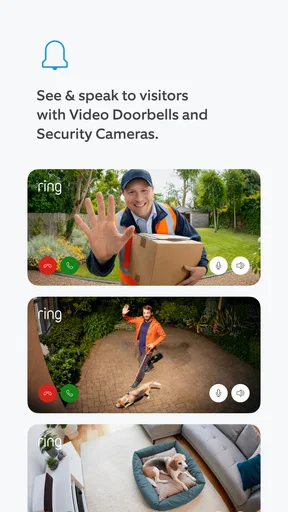
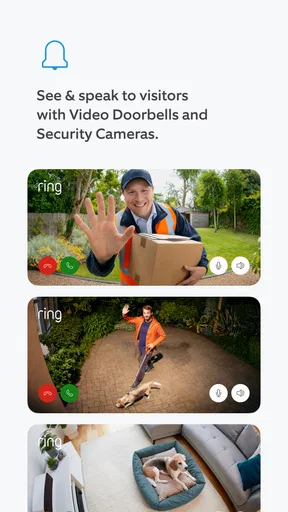
The app integrates seamlessly with Ring devices, allowing you to watch live footage, review recorded videos, and even communicate with visitors through two-way audio. It’s like a walkie-talkie for your front door!
User-Friendly Interface
One thing I love about this app is its user-friendly interface. The layout is intuitive, making navigation a breeze even if you’re not tech-savvy. The app organizes your alerts and video footage in a way that’s easy to access, so you’re never fumbling around when you need to find something quickly.
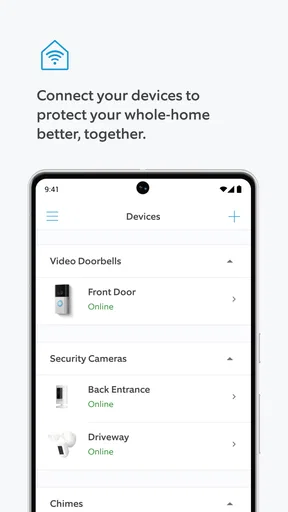
Setting up the app is straightforward. You just connect your Ring devices, and you’re good to go. The app even walks you through the installation process with easy-to-follow steps. Trust me, you’ll feel like a tech wizard in no time!
Stay Connected, Stay Secure
One of the standout features is the Neighborhood Alert system. It’s a community-driven feature that keeps you informed about what’s happening around you. If your neighbors spot suspicious activity, you’ll be the first to know. It’s like having a neighborhood watch group in your pocket.
Plus, the app offers customizable motion zones, so you only get alerts that matter to you. No more drowning in unnecessary notifications. You can focus on what’s important, like that package delivery you’ve been waiting for.
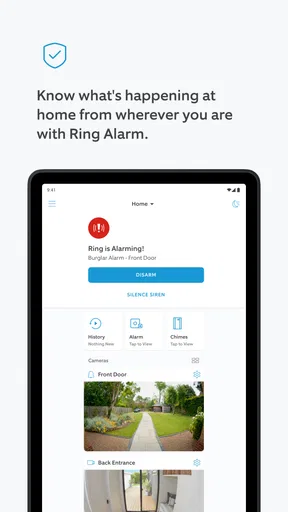
And let’s not forget about the peace of mind it brings. Knowing that I can check in on my home at any time makes me feel a lot more secure, especially when I’m away for extended periods.
Final Thoughts
If you’re looking for a way to boost your home security with minimal hassle, the Ring - Always Home app is a solid choice. It’s reliable, easy to use, and offers a range of features that make it a must-have for anyone concerned about home safety.
So, if you’re ready to take your home security to the next level, give this app a try. You’ll be wondering how you ever lived without it!
Pros
- User-friendly interface enhances accessibility.
- High-definition video quality for clear monitoring.
- Customizable motion zones reduce false alerts.
- Two-way audio allows direct communication.
- Seamless integration with smart home devices.
Cons
- Subscription required for full feature access.
- Occasional connectivity issues may occur.
- Limited battery life in wireless models.
- Privacy concerns due to constant recording.
- Initial setup can be somewhat complex.
FAQs for Ring - Always Home
What is the primary function of the Ring - Always Home app?
The Ring - Always Home app is designed to enhance home security by allowing users to monitor their property remotely. It pairs with Ring security devices, providing real-time video feeds, motion alerts, and two-way communication. This app helps users stay connected and informed about activities around their home, ensuring peace of mind.
Does the Ring app require a subscription for full functionality?
While the Ring app can be used without a subscription, certain features like video recording and storage require a Ring Protect Plan. This subscription unlocks additional services such as extended video history, professional monitoring, and more comprehensive security controls, enhancing the overall utility of the app.
Is the Ring app compatible with all mobile devices?
The Ring app is compatible with most Android and iOS devices, but it requires a relatively recent operating system version for optimal performance. Users should ensure their device meets the app’s system requirements, which are detailed in the app store listing, to avoid compatibility issues and ensure smooth operation.
How secure is the data transmitted through the Ring app?
Ring prioritizes user privacy and data security by employing end-to-end encryption for video footage and secure transmission protocols. However, it is advisable for users to regularly update the app, use strong, unique passwords, and enable two-factor authentication to further protect their account and personal data from potential threats.
Can I integrate the Ring app with other smart home devices?
Yes, the Ring app supports integration with various smart home systems, including Amazon Alexa. This compatibility allows users to control their Ring devices using voice commands and automate them with other smart home products, enhancing convenience and creating a more interconnected home security network.


